
How to Log Steps When Pushing a Stroller or Cart
Learn why fitness trackers miss steps when pushing a stroller or cart, and discover easy adjustments to accurately log your daily walking distance.
· 4 min read
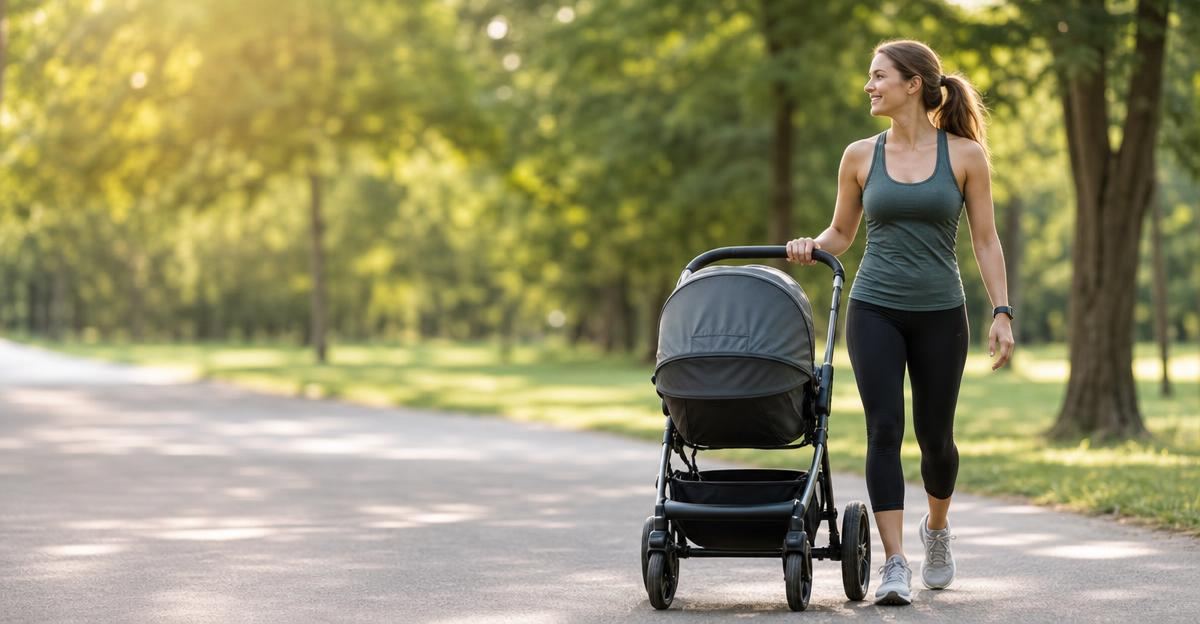
You walk two miles around the neighborhood with a jogging stroller or spend an hour weaving through grocery store aisles, but when you look down at your wrist, your step count barely budged.
It is a common frustration. You put in the physical effort, elevated your heart rate, and covered the distance, yet your fitness wearable missed most of the movement.
Wrist-based pedometers rely on the rhythmic swing of your arm to register forward motion. When your hands grip a stroller handle, a shopping cart, or a lawnmower, that natural pendulum stops. Fortunately, you do not have to lose credit for your daily activity. A few simple device adjustments and logging strategies can help you track these steps accurately without disrupting your routine.
Why Wearables Miss Steps When Your Hands Are Fixed
Most smartwatches and wrist trackers use internal accelerometers and gyroscopes. These sensors monitor three-dimensional movement patterns, looking for the telltale acceleration and deceleration of a swinging wrist.
When you push a cart or stroller, your hands remain relatively stationary. Even though your legs are walking at a brisk pace, the micro-vibrations from rolling over pavement or smooth linoleum rarely match the movement profile programmed into step-counting algorithms. In many cases, the tracker assumes you are standing still or moving in an elevator.
Missing these steps can make it harder to evaluate your daily energy expenditure. Regular walking plays an essential role in cardiovascular conditioning, blood glucose management, and overall mobility. The Physical Activity Guidelines for Americans from health.gov emphasize accumulating regular moderate-intensity movement throughout the week, and everyday errands often provide a substantial portion of that volume.
Quick Fixes: Where to Wear Your Tracker
If you regularly push a stroller on daily walks or navigate carts at work, changing where your tracker sits is the fastest way to capture your stride.
1. Slip the Tracker into Your Pocket
If your wearable can be detached from its band, or if you wear a watch with a soft strap, slip the entire device into your front pants pocket. When placed in a pocket close to your hip, the internal accelerometer detects the forward tilt and swing of your pelvis with each step. This method is remarkably accurate and requires no special gear.
2. Fasten It Around Your Ankle
For longer outdoor walks with a stroller, strapping your tracker around your ankle provides direct tracking of leg movement. If your standard band is too short, you can purchase an inexpensive elastic extender strap. Ankle placement ensures that every stride registers, regardless of how tightly you hold the handlebar.
3. Use Your Smartphone in a Pocket
Most modern smartphones contain built-in motion processors that count steps whenever the phone moves with your body. If you keep your phone in your pocket while pushing a stroller, it will record your steps even if your wrist tracker misses them.
The One-Handed Push Technique
If you prefer to keep your watch on your wrist to view notifications or monitor your heart rate, practice pushing with one hand while letting your other arm swing naturally.
On smooth, flat terrain—such as a paved park trail or a quiet suburban sidewalk—you can safely guide a stroller with one hand on the center of the handlebar. Alternate hands every five to ten minutes to avoid uneven fatigue in your shoulders or lower back.
*Note: Always keep safety first. On steep hills, uneven trails, or crowded crosswalks, keep both hands firmly on the handle and rely on pocket or ankle placement instead.*
Manually Converting Distance to Steps
If you finished a long shopping trip or stroller workout and realized your tracker stayed quiet the whole time, you can estimate your steps retroactively.
A standard walking stride averages approximately 2,000 to 2,500 steps per mile, depending on your height and walking speed. If your stroller route covered two miles according to map data or GPS, you completed roughly 4,000 to 5,000 steps.
Keeping track of your daily movement is about understanding your habits over weeks and months, not perfection on a single afternoon. If you are comparing tools to manage your daily movement data alongside your routine, exploring a step tracker pedometer app can help you find hardware and software combinations that sync seamlessly.
Supporting Daily Mobility Across Life Stages
Pushing wheels is not limited to parents with young children. Many people use wheeled walkers, push lawnmowers, or assist family members using transport chairs. As families adapt to changing physical needs, tools and strategies that support daily activity become even more valuable. For example, learning How We Respect Independence At Every Step shows how maintaining personal mobility and daily routines helps people stay engaged in their own care and wellness.
When tracking physical activity while managing chronic fatigue, mobility limitations, or recovery, remember that general step recommendations are broad guidelines. Consult a clinician or physical therapist if you need personalized advice on walking volume or supportive footwear.
Keeping Your Data Consistent
To keep your daily trends clean, pick one consistent method for your stroller walks:
- Test your pocket placement: Put your tracker in your front pocket, walk 100 paces while pushing a cart, and verify that the count increases by roughly 95 to 105 steps.
- Prioritize total movement over device perfection: If a grocery run only logs 400 steps instead of 1,200, your body still received the metabolic benefit of the walk.
- Consolidate your metrics: Sync your step counts, daily meals, and active workouts into a single dashboard so you can see how your movement patterns correlate with your energy levels and recovery.
Building sustainable habits comes down to clear feedback and low friction. With Stride, you can easily log your meals from photos, track workouts and daily steps, and monitor weight trends in one place.
Put this into practice with Stride
Log meals, training, weight and sleep in seconds, then get guidance that fits your own numbers.
Try Stride free