
How to Log Steps from an Under-Desk Treadmill
Learn how to accurately track steps from an under-desk treadmill or walking pad using smart device placement, pocket tracking, and stride calibration.
· 5 min read
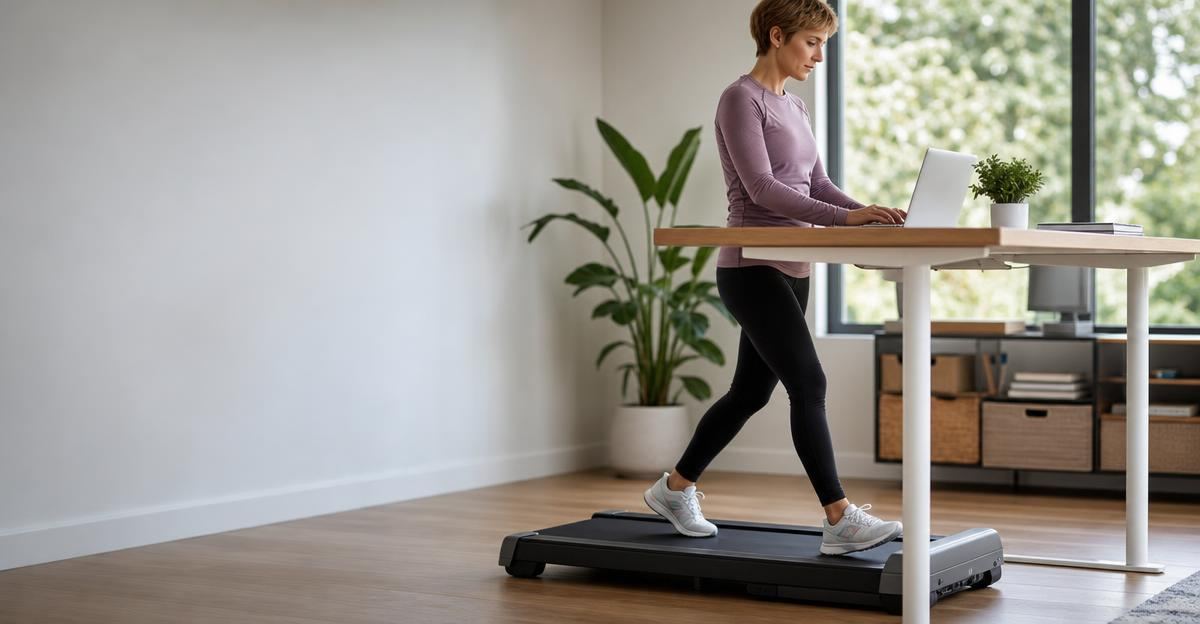
Under-desk treadmills and walking pads have made it remarkably easy to stay active while answering emails, attending webinars, or drafting reports. However, many people quickly encounter a frustrating problem: they walk for an hour while typing, look down at their wrist, and discover their tracker registered almost zero steps.
Wrist-based wearables rely on internal accelerometers that measure the natural back-and-forth swing of your arm. When your wrists rest stationary on a keyboard or mouse pad, the sensor cannot detect your movement, even if your legs are doing all the work. If you rely on walking pads to stay healthy, learning how to capture that movement correctly ensures your daily records reflect your actual physical exertion.
Why Wrist Wearables Miss Walking Pad Steps
Standard fitness trackers and smartwatches use algorithms calibrated to regular outdoor or treadmill walking, where each stride pairs with a rhythmic arm swing. When typing or resting your hands on an adjustable standing desk, that rhythm disappears.
Conversely, simply increasing desk vibration by typing heavily can sometimes cause erratic false positives. Neither scenario gives you dependable data. If you are learning how to hit daily step goals when you work a desk job, missing thousands of steps each afternoon can distort your overall activity balance and daily calorie expenditure estimates.
4 Ways to Accurately Track Under-Desk Steps
You do not need to abandon your wrist tracker or replace your entire setup to get reliable numbers. A few simple adjustments make tracking your walking pad sessions seamless.
1. Wear Your Tracker on Your Ankle
The most straightforward hardware fix is moving your existing smartwatch or fitness band to your ankle. Ankle placement directly captures lower-body mechanics, bypassing the issue of still hands entirely.
To make this work comfortably:
- Use an extended hook-and-loop strap or an elastic band designed for ankle wear.
- Fasten the tracker snugly above your ankle bone so it does not slide down or bounce against your shoe.
- Keep in mind that optical heart rate sensors may read inconsistently on the ankle due to thicker skin and differing blood flow patterns; use ankle placement primarily for step counts rather than precise heart rate metrics.
2. Use a Dedicated Clip-On Pedometer or Shoe Pod
If moving your smartwatch feels awkward, a separate clip-on sensor offers an elegant alternative. Small Bluetooth pods attached to your shoe laces or waistband measure gait cadence with high accuracy.
Many running pods and waist-worn pedometers automatically sync step data to your health ecosystem without interfering with your wrist device. Placing a sensor at your center of gravity or on your footwear ensures every stride counts, regardless of how intensely you are typing.
3. Keep Your Phone in Your Pocket
Smartphones contain sophisticated accelerometers and gyroscopes. If you wear pants with relatively snug pockets, carrying your phone while using the walking pad provides a surprisingly accurate step count.
Loose-fitting athletic shorts or wide sweatpants may allow the phone to swing excessively, leading to slight overcounting. A standard front pocket on fitted pants, however, mirrors hip displacement reliably.
4. Convert Treadmill Distance and Speed to Steps
If your under-desk treadmill features a digital console that records exact distance or time and speed, you can calculate your steps manually or let software convert it.
On average, a person takes roughly 2,000 to 2,500 steps per mile at typical walking speeds (between 1.5 and 2.5 miles per hour). If your walking pad shows you covered 2.0 miles during a 50-minute work session, you can log approximately 4,000 to 4,500 steps manually in your health tracker if your wearable failed to record them.
`
Approximate Step Calculation:
Distance (miles) × 2,200 = Estimated Total Steps
Example: 1.8 miles × 2,200 ≈ 3,960 steps
`
Calibrating Your Stride Length for Precision
Not all strides are identical. Walking slowly while typing often involves a shorter, more cautious stride length than walking briskly outdoors.
To fine-tune your tracking:
- Set your walking pad to your usual working speed (for example, 1.8 mph).
- Count 100 steps manually while continuing to type or work.
- Check what your device registered.
- If your device allows custom stride length adjustments, update your profile settings so lower speeds reflect your real cadence.
Maintaining mobility and daily physical movement is foundational for joint health and metabolic wellness at every age. In community care and supportive living environments, providers highlight how we respect independence at every step by encouraging manageable, daily functional movement. Establishing good movement habits at your desk builds that exact functional resilience.
Health Benefits Beyond the Numbers
Accurate logging matters for habit consistency, but the physiological benefits happen regardless of what screen displays the count. Accumulating regular low-intensity movement throughout the workday lowers prolonged sitting time, improves insulin sensitivity, and supports cardiovascular health.
According to the Physical Activity Guidelines for Americans, reducing sedentary behavior and replacing it with light-intensity physical activity delivers meaningful health benefits for adults. If you have specific cardiovascular concerns, joint conditions, or mobility limitations, consult a healthcare provider or physical therapist before substantially increasing your daily walking volume.
Integrating Desk Steps into Your Daily Routine
To keep your logging frictionless:
- Pick one method and stick to it: Consistency matters more than theoretical perfection. Whether you choose an ankle strap or pocket tracking, using the same method every day keeps your long-term trends reliable.
- Avoid double-counting: Ensure your health app does not simultaneously count steps from your phone in your pocket and a wearable on your ankle. Set device priorities in your settings to avoid duplicate entries.
- Listen to your body: Walking while working can sometimes cause subtle lower back or hip fatigue if your desk height is not ergonomically aligned. Take short sitting breaks every 45 to 60 minutes.
Tracking your walking pad sessions should never feel like a chore. By positioning your sensors properly, you can focus on your work while your actual movement logs quietly in the background.
Try Stride to log meals, workouts, and weight in one place, giving you a clear and accurate picture of your daily health habits.
Put this into practice with Stride
Log meals, training, weight and sleep in seconds, then get guidance that fits your own numbers.
Try Stride free